ServeFlow. ▶  Live Demo
Live demo — no signup needed
Restaurant & Food-Delivery Management

ServeFlow — Restaurant & Food-Delivery Management

Take orders, run the kitchen flow and dispatch riders for a restaurant, café or cloud kitchen — with every order's full status history kept on record, forever.

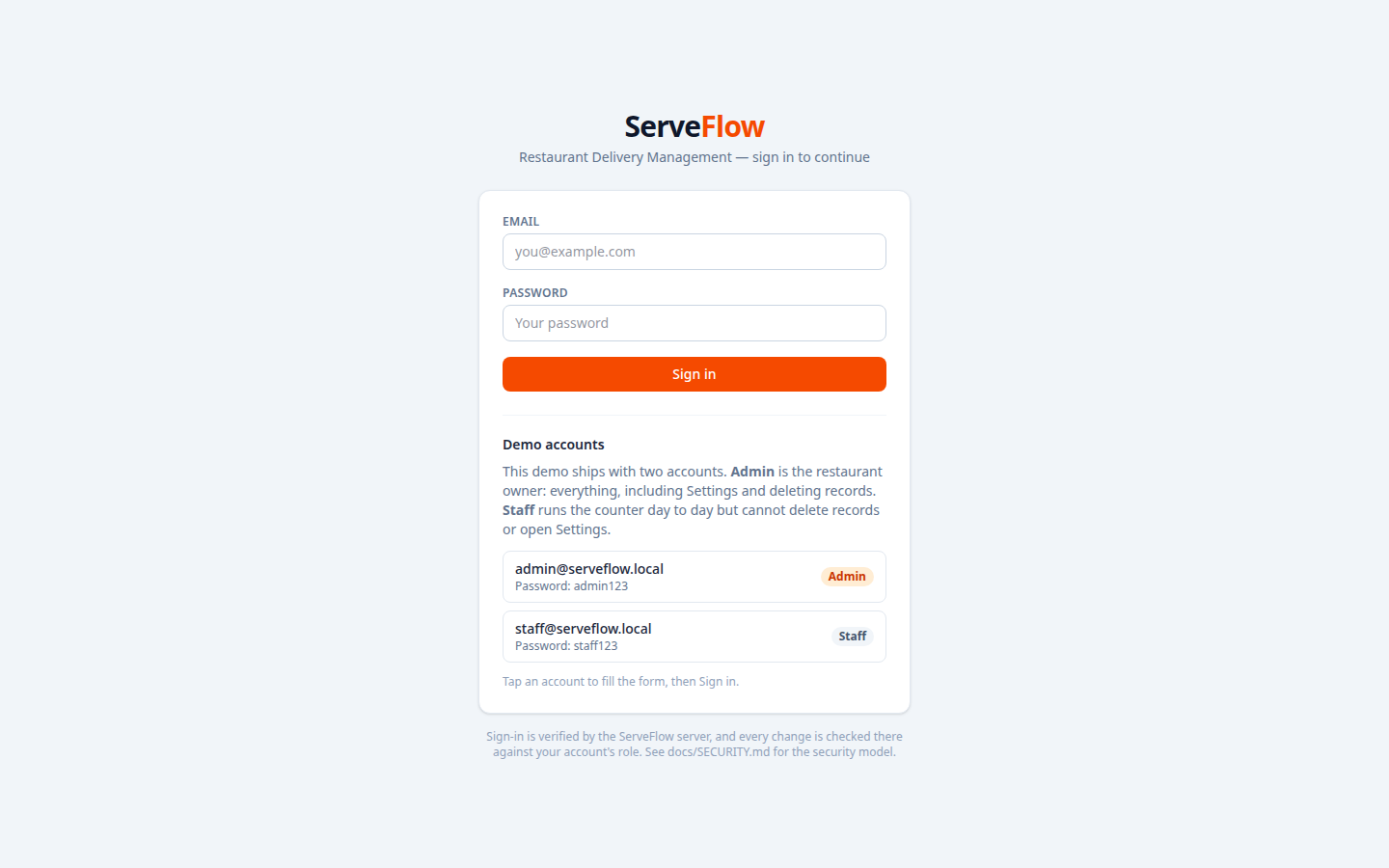
Try it now — no signup. The demo opens on a sign-in screen with tap-to-fill demo accounts:
Admin — admin@serveflow.local  ·  Staff — staff@serveflow.local
Tap an account and the password fills in on the sign-in screen.
14 menu items44 orders seeded3 riders165 status-log entries
ServeFlow — live demo
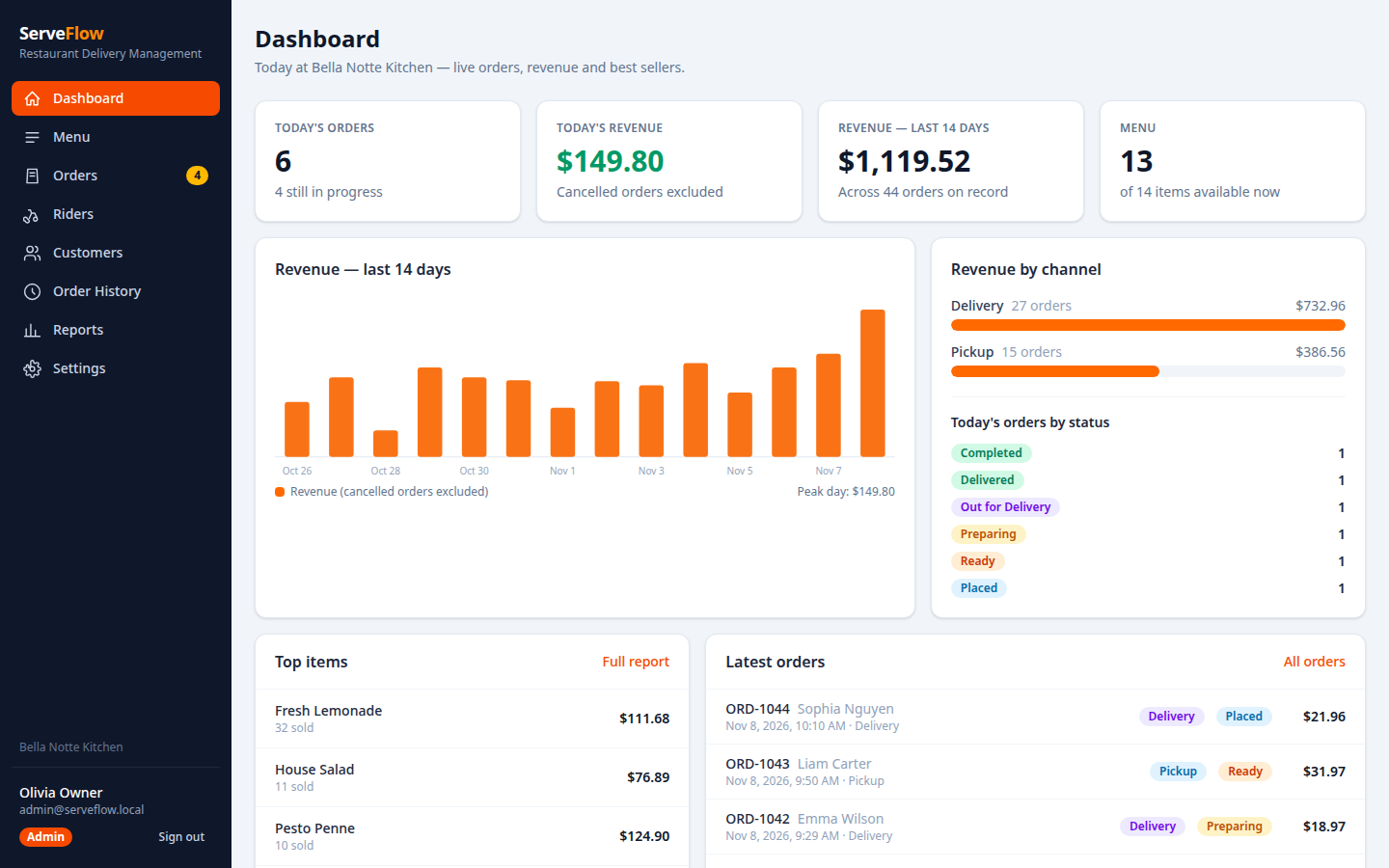
ServeFlow dashboard — today's orders, channels and revenue at a glance

One business. One live dataset.

ServeFlow runs the restaurant on one live dataset. Menu, orders and riders share the same state, and every status change of every order appends to an order history that is never edited or removed. Delivery and pickup follow their own fixed flows, and a cancelled order never counts as revenue.

How it works

From first entry to the end of the day — every step on record.

1

Build the menu

Categories and items with availability switches — an unavailable item can never be ordered.

2

Take the order

Delivery or pickup; every line validated and the minimum subtotal enforced before anything is recorded.

3

Dispatch a rider

Only riders on duty can be assigned — and a delivery can only go out with a rider assigned.

4

Complete the flow

Placed, Preparing, Out for Delivery, Delivered. Cancelling needs a reason and is impossible from a terminal status.

Key features

Everything below is in the product — the live demo runs the same software.

◆

Fixed status flows

Delivery and pickup each follow one fixed path — no skipped or invented states, ever.

⬢

The order status log

Every status change appends a log entry; the chain always ends at the order's current status.

▲

Rider rules

Riders must be on duty to be assigned, and a delivery cannot leave without one.

●

Menu control

Items and categories with availability — what is off cannot be sold.

⬣

Honest revenue

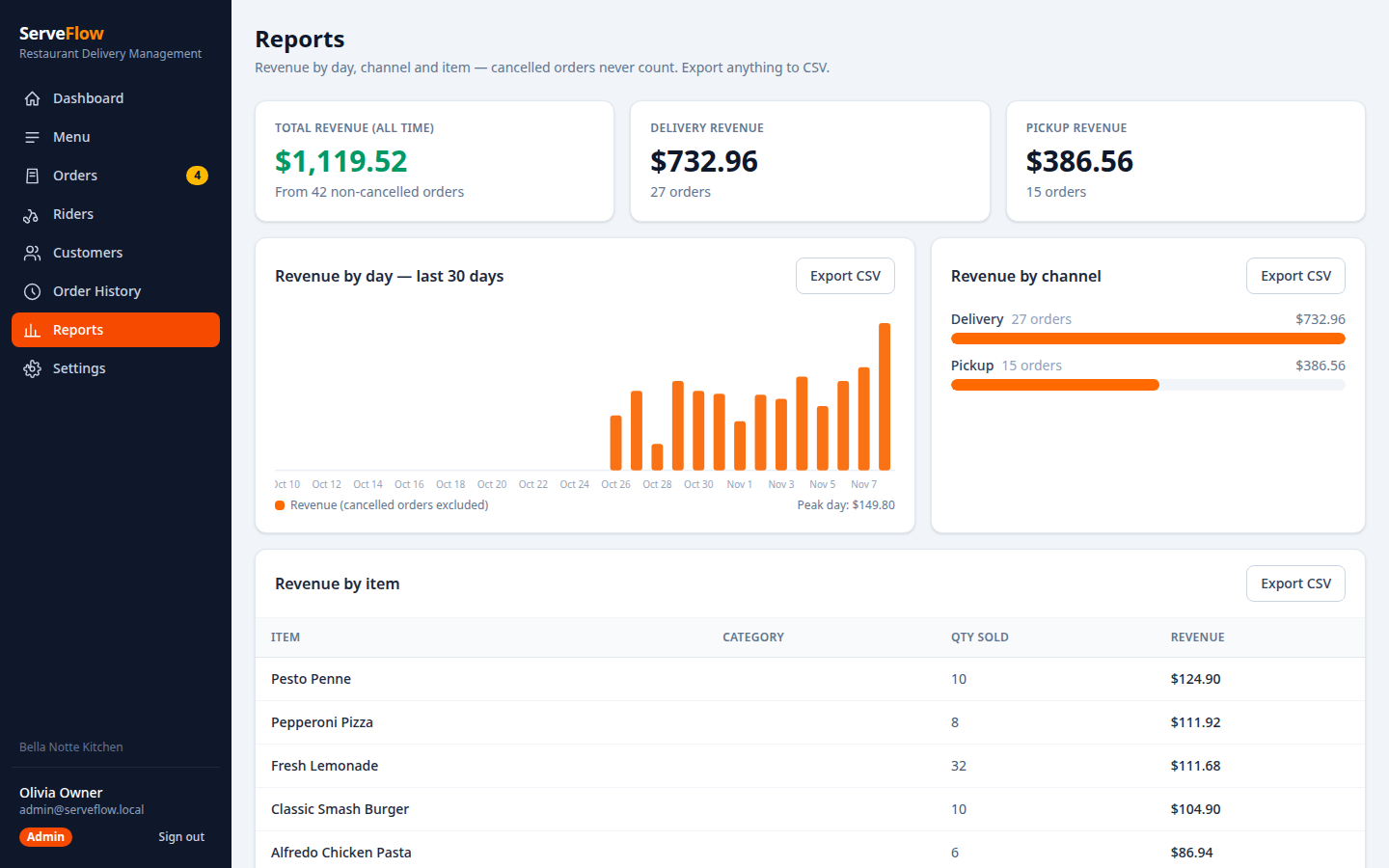
Cancelled orders never count as revenue; reports read the same records as the floor.

■

Cancellations with a reason

A reason is required, and a finished order can never be cancelled after the fact.

Roles & security

Two roles, enforced on the server — not just hidden in the interface.

AdminStaff
Day-to-day work (create, edit, process)✓ Yes✓ Yes
Delete records✓ Yes✗ No — 403
Settings & data controls✓ Yes✗ No — 403
Sign in without a token✗ No — 401 for every role

The Staff account (staff@serveflow.local) runs the service day — orders, menu availability and riders — but cannot delete records or open Settings.

SCRYPT hashed passwords
SERVER-SIDE auth on every endpoint
429 sign-in flood limit
STATUS LOG append-only order history

Screenshots

Real screens from the running demo — nothing staged.

Dashboard — ServeFlow
Dashboard
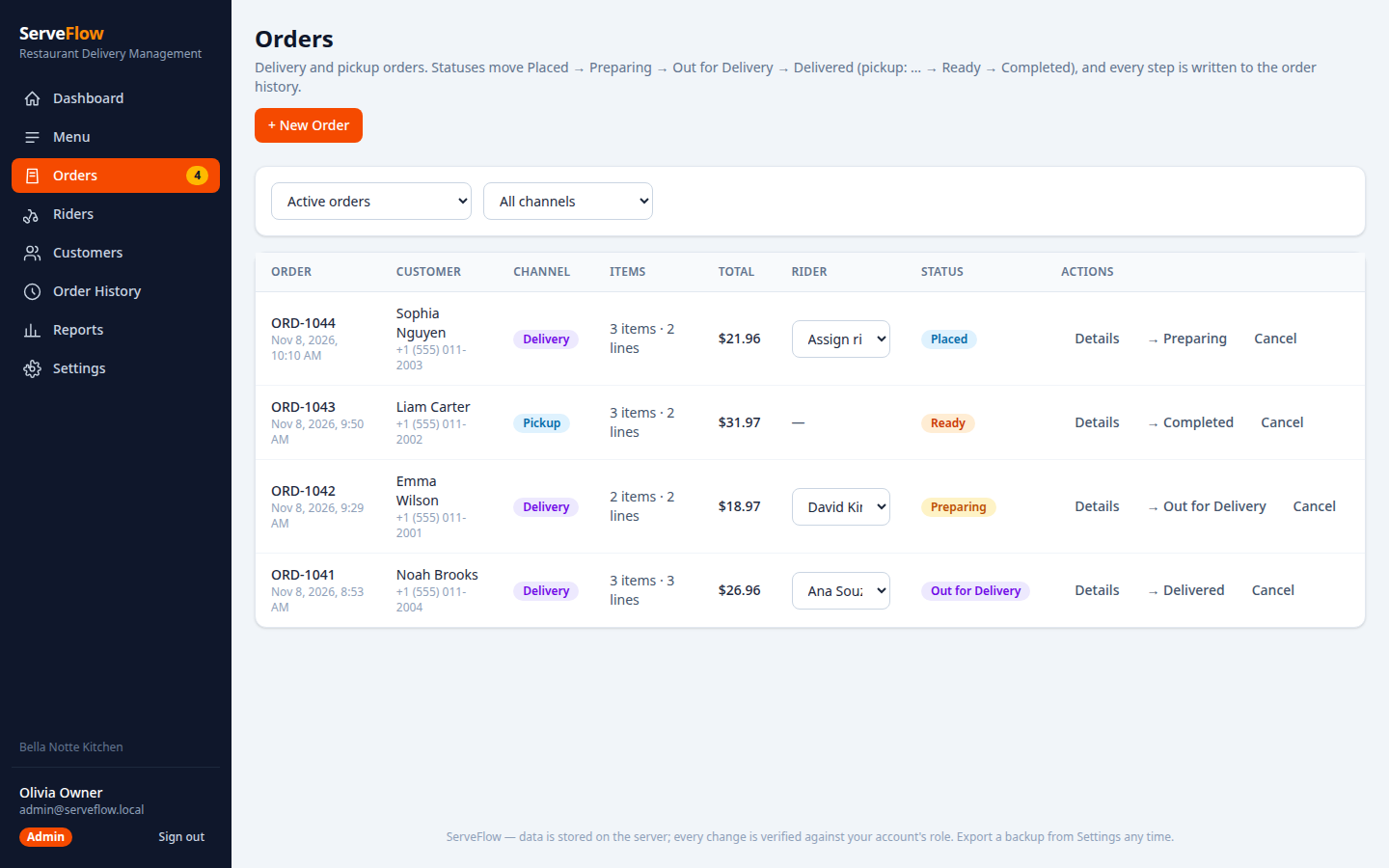
Orders — ServeFlow
Orders
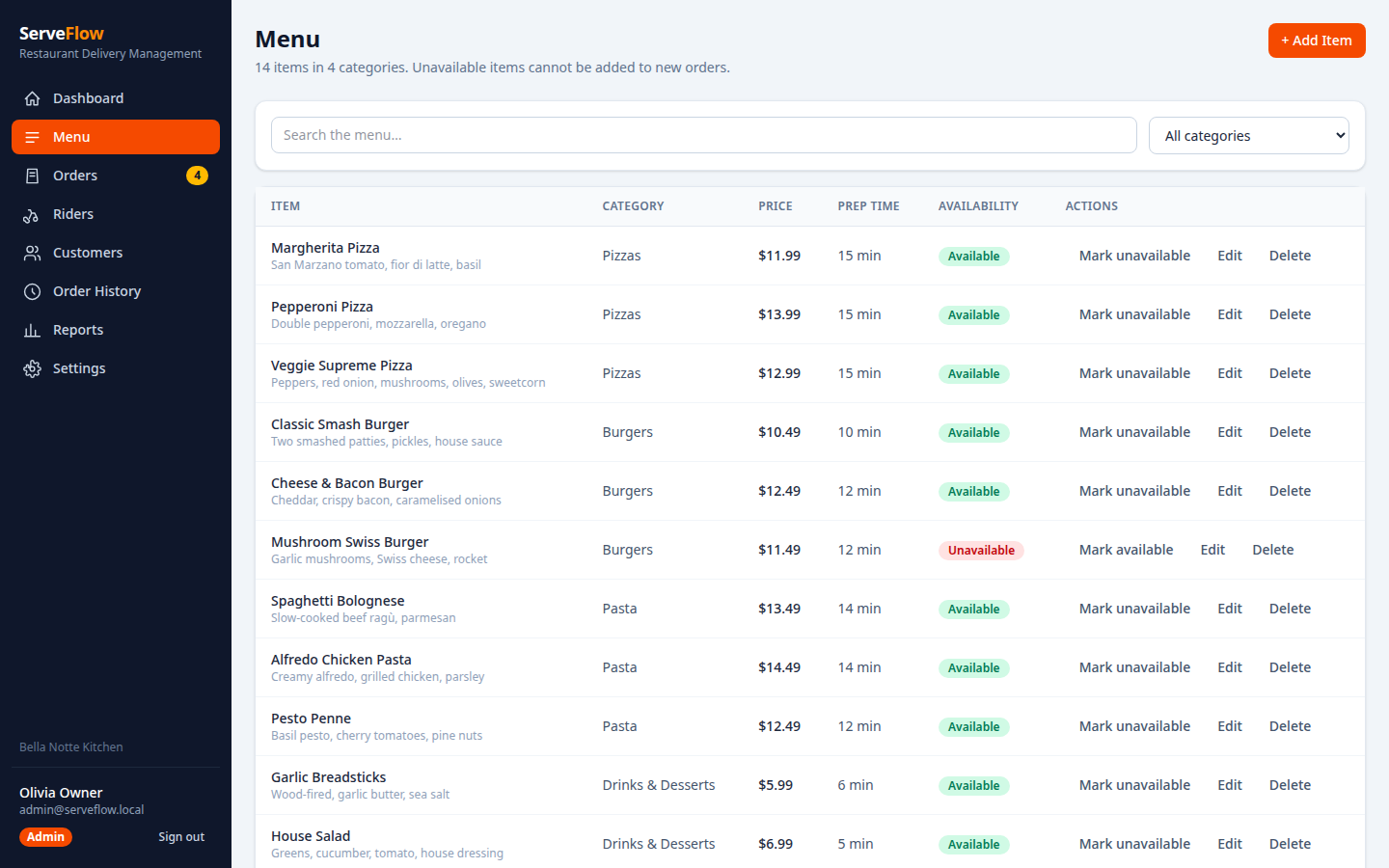
Menu — ServeFlow
Menu
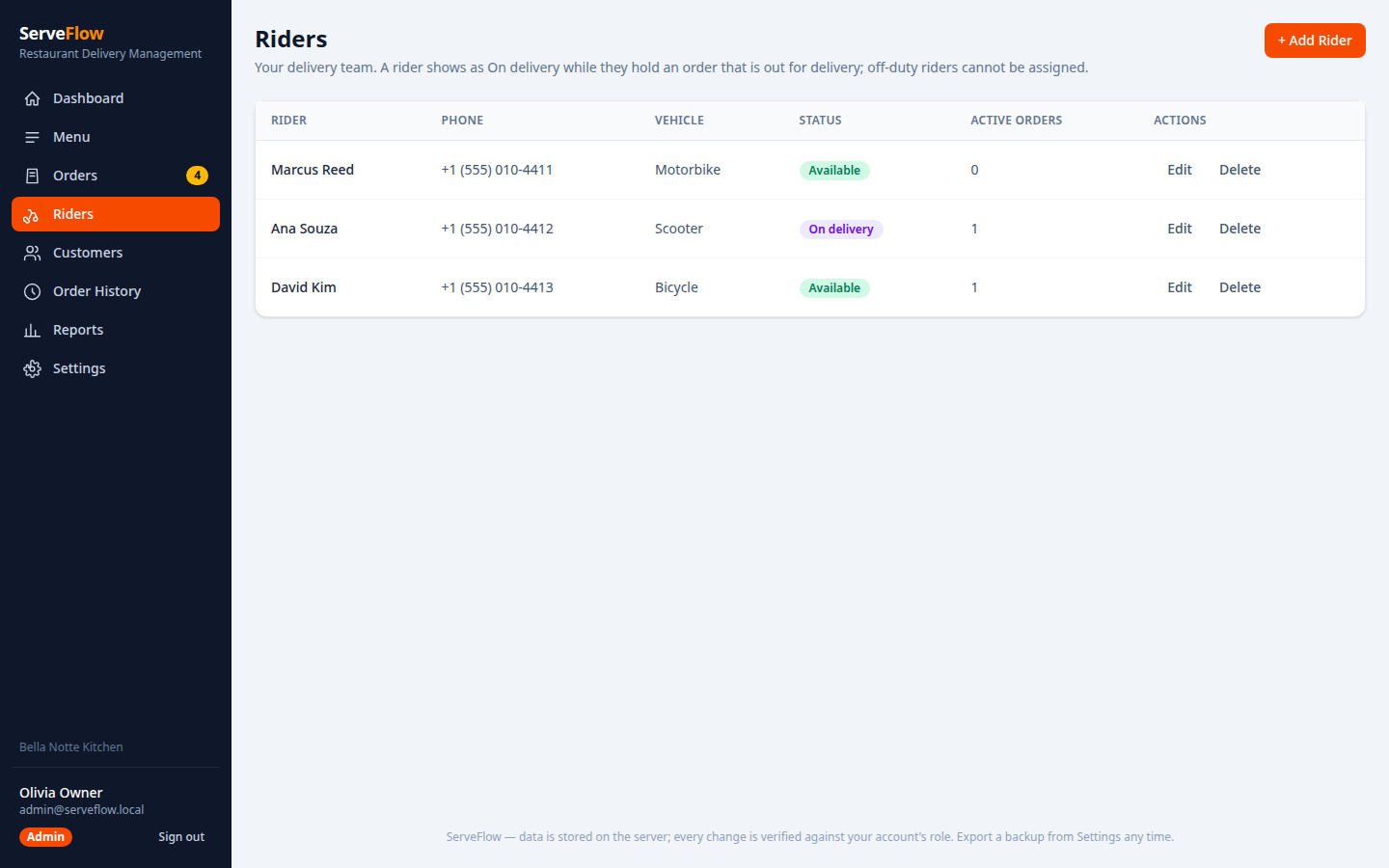
Riders — ServeFlow
Riders
Reports — ServeFlow
Reports
Sign in — ServeFlow
Sign in

Under the hood

A modern stack you can host anywhere — and modify with any AI coding tool.

React 18ViteTailwind CSS Node.js + ExpressJSON file persistence DockerNo database server

What you get

The complete package, ready to run — verified before it ships.

Full source code

React + Vite + Tailwind frontend, Node + Express backend — clean, modular, documented.

Ready-to-deploy demo

Static build plus the API as a serverless function — deploy in minutes.

Full documentation

Setup, data model, business rules, customisation and a security-model doc.

Tested & seeded

Business-rule checks 73/73 and API checks 50/50 all passing on v1.0.1, with a realistic dataset pre-loaded so every screen is alive from the first sign-in.

Why ServeFlow

Built to be owned, not rented.

No database serverNo database server, API keys or external services to manage.
Your data stays yoursData persists to a plain JSON file on your own server.
Runs anywhereShips with its own Node server — and the live demo runs the same backend as a serverless function.
Commercial licenceUse it in one end product, with full source code included.

Try ServeFlow live, right now.

No signup, no install — the demo is the product.

Admin — admin@serveflow.local  ·  Staff — staff@serveflow.local
Tap an account on the sign-in screen and the password fills in.